Google My Business Updates 2026: What Changed (Full Guide)
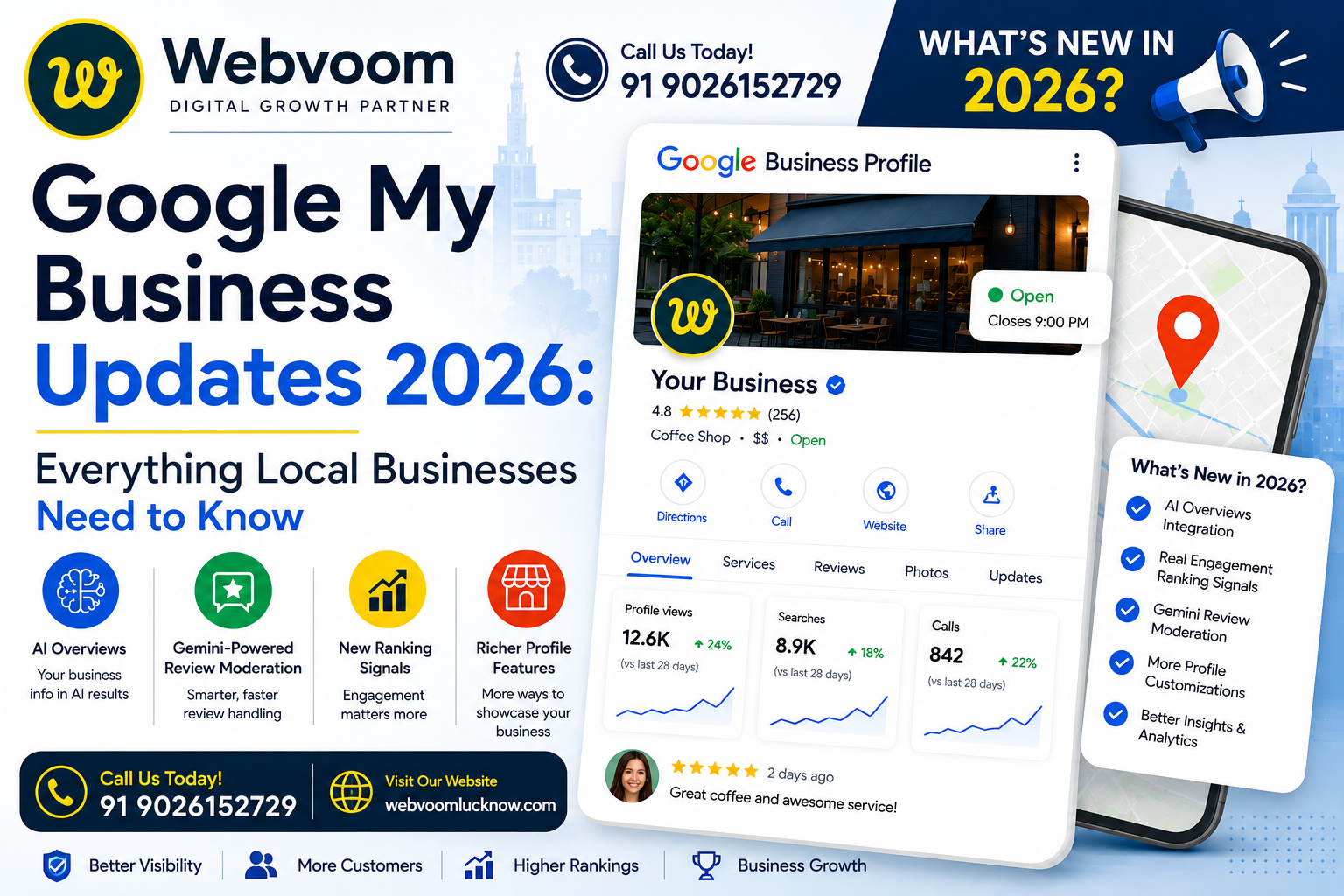
Google My Business Updates 2026: Everything Local Businesses Need to Know
The Google My Business updates 2026 brought have changed the game for local businesses & most owners haven’t caught up yet. Rankings feel different. The dashboard looks different. And somehow, your competitor who opened three months ago is suddenly showing up above you for the exact keywords you’ve dominated for years.
That’s not a glitch. That’s 2026.
Google has quietly rebuilt how Business Profiles work this year, and the changes go a lot deeper than a new button in the dashboard. Between AI Overviews reading your listing before a human ever does, Gemini-powered review moderation, and a genuine shift in what “ranking well” even means, this has been one of the busiest years for GBP since the platform existed. In this guide, we’re breaking down what’s actually changed, why it matters, and what you should be doing about it right now — no fluff, no recycled 2022 advice.
Quick Refresher: GMB, GBP, Same Thing
Before we go further, let’s clear up something that trips a lot of business owners up. “Google My Business” (GMB) was rebranded to “Google Business Profile” (GBP) a few years back. People still use both names constantly, and Google itself doesn’t seem too bothered about it either. So if you see “GMB updates 2026” in one article and “GBP updates 2026” in another, they’re talking about the same platform. For consistency, we’ll use both terms interchangeably throughout this piece, just like most business owners actually search for them.
The Big Shift: What the Google My Business Updates 2026 Really Mean
This is, without question, the headline story of 2026. For years, a Google Business Profile was basically a digital storefront sign — your hours, your address, some photos, a few reviews. You filled it in, kept it updated, and hoped it helped you show up in the local map pack.
That’s no longer the whole picture. Your GBP data now feeds directly into Gemini-powered AI Overviews, which makes structured profile information critical for local visibility. In plain English: when someone searches “best plumber near me” or “is this restaurant open right now,” Google’s AI is increasingly answering that question directly at the top of the page, before a person ever scrolls down to the map pack or clicks a website.
And where does that AI answer pull its facts from? Largely your profile. Gemini is described by industry analysts as reading roughly six layers of data from your listing — your structured profile data, service descriptions, full review history, photos, Q&A section, and recent posts. The richer and more specific each of those sections is, the more confidently Gemini will recommend your business instead of a competitor’s.
What this means practically: a half-filled-out profile isn’t just a missed opportunity anymore, it’s an active liability. If Gemini doesn’t have enough clear, consistent information about your business, it simply won’t mention you — no matter how good your service actually is.
Google My Business Updates 2026: What Changed in Ranking Factors
If you’ve been doing local SEO for a while, you know the old story: relevance, distance, and prominence. Those three pillars technically still exist, but what “prominence” means has moved. Google’s local algorithm went through a real recalibration this year, and the direction is clear — the algorithm now weighs real-world engagement and popularity metrics more heavily than it used to, compared to previously rewarding established brand authority and link-based reputation.
Translated into something you can actually use: a business that’s only been open a few months, but is getting a steady stream of profile views, direction requests, calls, and photo engagement, can now outrank an older, more “authoritative” competitor whose profile just sits there collecting dust. That’s a big deal, and it’s honestly good news for smaller and newer businesses that have been struggling to compete against big brand names with deep backlink profiles.
The practical upshot is that engagement itself has become a ranking signal, not just a byproduct of ranking well. Photo views, Q&A interactions, and direction requests are being tracked and weighted in a way they weren’t a couple of years ago.
Photos Are Being Scanned by AI, Not Just Displayed
Here’s one that catches a lot of business owners off guard. It’s not enough anymore to just upload a nice photo and move on. In 2026, Google’s visual AI systems actively analyze the photos on your profile to verify things like your business category, the services you claim to offer, and even your location context. High-quality, regularly refreshed photos aren’t a “nice to have” anymore — they’re functioning as a direct ranking and trust signal.
This cuts both ways, though. Multiple local SEO specialists are flagging a real enforcement crackdown on fake or AI-generated images. Posting AI-generated team photos or fabricated “interior shots” of your business is now a fast track to a suspension, not just a slap on the wrist. Google wants real photos of your real business — stock photos and synthetic images are increasingly easy for its systems to detect and penalize.
There’s also a consistency angle worth mentioning: profiles that go 30-plus days without any new photos or posts are seeing noticeably reduced visibility, even though Google hasn’t published an official “30-day rule.” The pattern is strong enough that agencies across the board are treating it as a soft deadline.
The Google My Business Updates 2026 Brought to the Review System
Reviews have always mattered for local businesses, but 2026 brought some of the most significant changes to how Google handles them in years. In April, Google rolled out Gemini-powered enforcement tools alongside pre-publication scam detection for reviews. In other words, Google is now trying to catch fake, incentivized, or scammy reviews before they even go live, rather than relying purely on after-the-fact reporting and removal.
For legitimate business owners, this is mostly a positive. It means the review section your customers see is more likely to reflect real experiences, which builds more genuine trust with people scrolling through your profile. But it also means the old grey-area tactics — review swapping, incentivized reviews without disclosure, review gating — are riskier than ever. Getting flagged under the new detection systems can mean real damage to your visibility, not just a warning email.
On the reply side, there’s also been a smaller but useful update: business owners can now see the specific policy violation attached to any review reply that gets rejected, instead of just a vague rejection notice. That alone saves a lot of guesswork when you’re trying to figure out why a perfectly reasonable reply to a customer got bounced.
The core lesson here hasn’t changed, but it’s more urgent than ever: reviews are one of the strongest trust signals Google’s AI systems use when deciding who to recommend. Google’s AI reads your reviews contextually now — sentiment, language, specific keywords — much closer to how an actual human would evaluate them. A profile with a handful of generic five-star reviews doesn’t carry the same weight as one with detailed, keyword-rich, recent reviews that describe specific services and outcomes.
Messaging Got a Real Upgrade
Communication tools on Google Business Profile have also matured this year. The messaging feature, available through both the app and desktop dashboard, now gives business owners more convenient and flexible ways to talk directly with customers who find them through Search or Maps. This matters more than it sounds like on the surface — when a customer can message you directly from your listing instead of having to call or find your website, you’re capturing intent at the exact moment someone is ready to act.
On top of that, Google has introduced the ability to add a WhatsApp contact directly to your Business Profile, filling the gap left by the earlier removal of the old Business Chat feature. For businesses whose customers already live on WhatsApp — which, depending on your region, might be a huge chunk of your audience — this is a meaningful convenience upgrade rather than a cosmetic one.
Post Scheduling and Multi-Location Publishing Finally Arrived
If you manage more than one location, or you’ve ever forgotten to post an update because you were juggling ten other things, this next update is probably the one you’ll appreciate most. Google has rolled out proper post scheduling combined with multi-location publishing. You can now draft content, set a specific date and time, and let Google handle publishing automatically — no more logging in daily or relying on a third-party scheduling tool just to keep your profile active.
For franchises and multi-branch businesses — say you’ve got locations spread across several cities — this update alone can save hours of repetitive manual work every week, while also keeping every branch’s profile consistently active, which, as we covered above, is now tied more directly to ranking than it used to be.
A few best practices worth following if you’re using this feature:
- Post consistently, ideally two to three times a week rather than in occasional bursts
- Use genuinely high-quality images rather than generic stock graphics
- Keep the copy short and action-oriented, since most users are scanning quickly rather than reading closely
- Add UTM parameters to any linked URLs so you can actually track performance in GA4
- Time posts around peak activity windows for your audience, like weekend mornings or local festival periods
Data from BrightLocal’s 2026 research backs this up pretty clearly: businesses posting two to three times weekly are seeing 34% higher engagement compared to businesses that only post occasionally. That’s not a marginal difference — it’s a strong argument for actually using the scheduling tools Google just handed you.
Categories and Suspensions: Google Is Cracking Down
Category selection has always mattered for local SEO, but Google tightened its enforcement in 2026 in a way that’s catching a lot of businesses off guard. Your primary category is still your strongest non-keyword ranking signal — choosing something specific like “Italian Restaurant” instead of the generic “Restaurant” continues to make a measurable difference. You can add up to nine secondary categories on top of that, but they genuinely need to reflect services you actually offer.
Here’s the part that’s new and worth paying attention to: choosing categories that don’t accurately match your business is now triggering suspensions far more aggressively than in previous years. This isn’t a “you might get a warning” situation anymore — mismatched categories are one of the more common suspension triggers agencies are reporting this year. If you’ve historically padded your category list to try to rank for adjacent searches, 2026 is the year to clean that up before Google does it for you.
Dashboard Access Got Simpler
On a smaller but still welcome note, Google has made it noticeably easier to actually find and access your Business Profile dashboard. In the past, managing your listing often meant searching “Google My Business” just to locate the right URL, which was a surprisingly common point of confusion for business owners who didn’t manage their profile often. Now, access is more visible and direct, whether you’re coming from Search or Maps, and logging in with the Google account tied to your profile gets you there faster.
It’s a small quality-of-life change, but it matters — the harder it is to reach your dashboard, the less likely you are to keep your profile updated, and we’ve already covered how costly a stale profile has become this year.
What This Means If You’re Managing Multiple Client Profiles
If you’re an agency, freelancer, or in-house marketer juggling several client profiles, 2026 has genuinely changed the nature of the job. The old question was “where does my client rank in the Local Pack?” The new question, according to specialists tracking this shift closely, is closer to: is my client’s business documented clearly enough that Gemini can confidently recommend them without hesitation?
That reframing matters because if a profile isn’t clear and consistent enough for Google’s AI systems, the business doesn’t just lose Local Pack ranking — it can drop out of AI Overviews, Ask Maps, and even third-party AI assistants like ChatGPT and Perplexity that increasingly pull from the same public business data. Visibility loss now happens across every channel at once, not just one search results page.
A few things worth prioritizing if you’re managing profiles professionally this year:
- Write full, specific business descriptions using the available character allowance, rather than stuffing keywords into a short paragraph
- List each service as its own distinct entry with a real description, since AI systems tend to treat each one as a separate “fact” they can reference in an answer
- Keep photos current and authentic, avoiding anything that looks synthetic or generic
- Respond to reviews promptly and specifically, referencing the actual service or product mentioned
- Maintain identical NAP (Name, Address, Phone) details across your website, GBP, and any other directories your business appears in
Practical Takeaways: What To Actually Do This Week
With everything above in mind, here’s a shortlist that cuts through the noise if you only have an hour to spend on your profile this week:
- Audit your categories. Remove anything that doesn’t genuinely match a service you offer, and make sure your primary category is as specific as possible.
- Replace any AI-generated or stock imagery with real photos of your actual location, team, and work.
- Fill out every section fully — business description, services list, Q&A, attributes — rather than leaving fields blank or half-written.
- Set up a consistent posting rhythm, ideally using the new scheduling tools if you manage multiple locations.
- Respond to every review, positive or negative, with specific, genuine language rather than a copy-pasted template.
- Add WhatsApp or messaging options if your customer base is likely to use them.
- Check your dashboard weekly, not monthly, since profiles left untouched for 30-plus days are visibly losing ground.
FAQ
Is Google My Business the same as Google Business Profile? Yes. Google rebranded Google My Business to Google Business Profile a few years ago, but the two names are still used interchangeably by almost everyone, including plenty of official-sounding guides. If you see “GMB” in one place and “GBP” in another, they’re talking about the exact same tool.
Do I still need a website if my Google Business Profile does most of the work now? You do, and probably more than ever. AI Overviews and Gemini-powered summaries pull context from your website as well as your profile, cross-referencing the two to check consistency. A profile without a matching, credible website behind it actually looks less trustworthy to Google’s systems, not more self-sufficient.
Why did my rankings drop even though nothing about my business changed? The most common culprits this year are a stale profile (no new photos or posts in 30-plus days), inconsistent NAP details somewhere on the web, or a category that no longer matches what Google considers an accurate description of your business. It’s also possible a newer competitor simply started generating more engagement than you, since that now counts for more than it used to.
Will posting fake or AI-generated photos actually get my listing suspended? Increasingly, yes. Google’s systems are specifically trained to flag synthetic or stock imagery used to misrepresent a business’s real location, team or interior. It’s a fast way to trigger a review or suspension, so it’s worth removing any photos of that kind proactively rather than waiting to get caught.
How often should I actually be posting to my profile? Two to three times a week is the sweet spot most current research points to, with businesses at that frequency seeing meaningfully higher engagement than those posting only occasionally. If that sounds like a lot, the new scheduling tools make it far easier to batch content in advance rather than logging in daily.
Does responding to reviews still matter if Google’s AI is reading them anyway? More than ever. Your replies are part of what Gemini and AI Overviews read when forming a picture of your business, and a pattern of thoughtful, specific responses signals an actively managed, trustworthy business. Ignoring reviews, especially negative ones, is now more visible to both customers and Google’s systems than it used to be.
Final Thoughts
The theme running through every one of these updates is the same: Google Business Profile has stopped being a passive listing and has become an active data source that AI systems rely on to make real-time recommendations. That’s a genuinely bigger shift than most of the individual feature updates suggest on their own.
The businesses that will do well for the rest of 2026 aren’t necessarily the ones with the biggest budgets or the longest history — they’re the ones treating their profile like a living, constantly updated asset. Fill it out properly, keep it current, earn real engagement, and stay on the right side of Google’s tightening enforcement around fake content and mismatched categories, and you’ll be in a strong position no matter how much further this AI-driven shift continues.
If you haven’t logged into your dashboard in a while, this is probably a good week to start.